I want to talk about the functionality of 3-D printing queue that I built for the biomedical engineering department at UNC. I graduated from the department after working in IT and electronics manufacturer for 10 years and identified a few needs during undergrad.
The department was limited on 3-D printers, having only two Ultimakers, two Formlabs, and a Stratasys throughput was very low. However, because these printers are used by design, classes and researchers demand was high, and it was creating a bottleneck in the department.
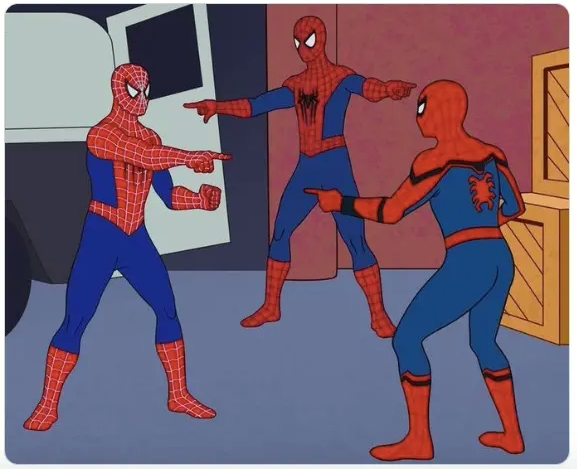
There was one incident before the capstone project presentations where all the printers were allocated, so my senior design team waited until 2 AM for the next print to finish. When the print was done, that team showed up to start their next print. And, unbeknownst to either group, a third team had been waiting on a different floor to start their print. We had to play rock paper scissors to decide who got to go next.
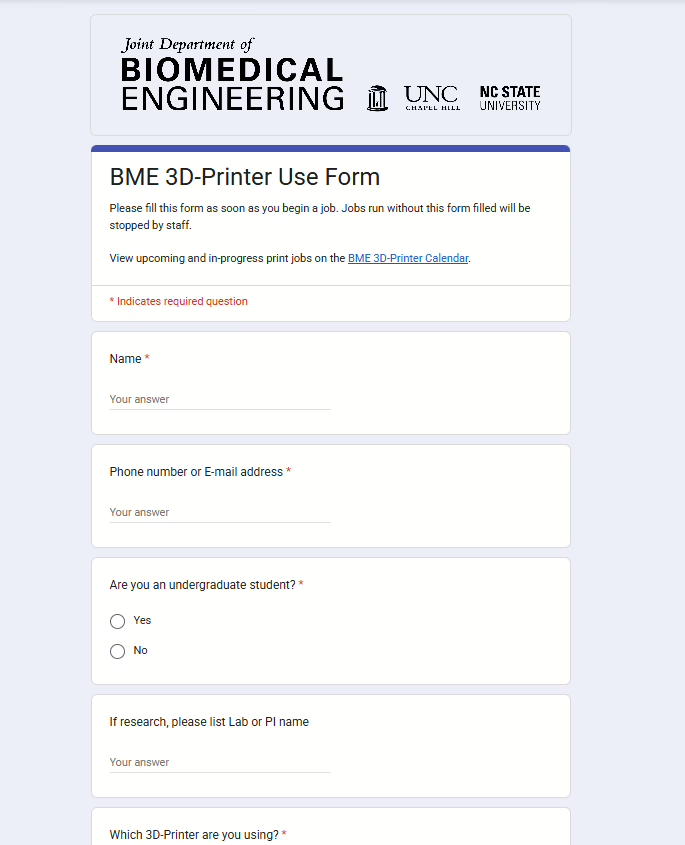
The first step was to build a Google form. We collect contact info, machine, material, start date/time, print duration, and print volume.
By knowing if they’re in a lab or class, we can allocate material accordingly.
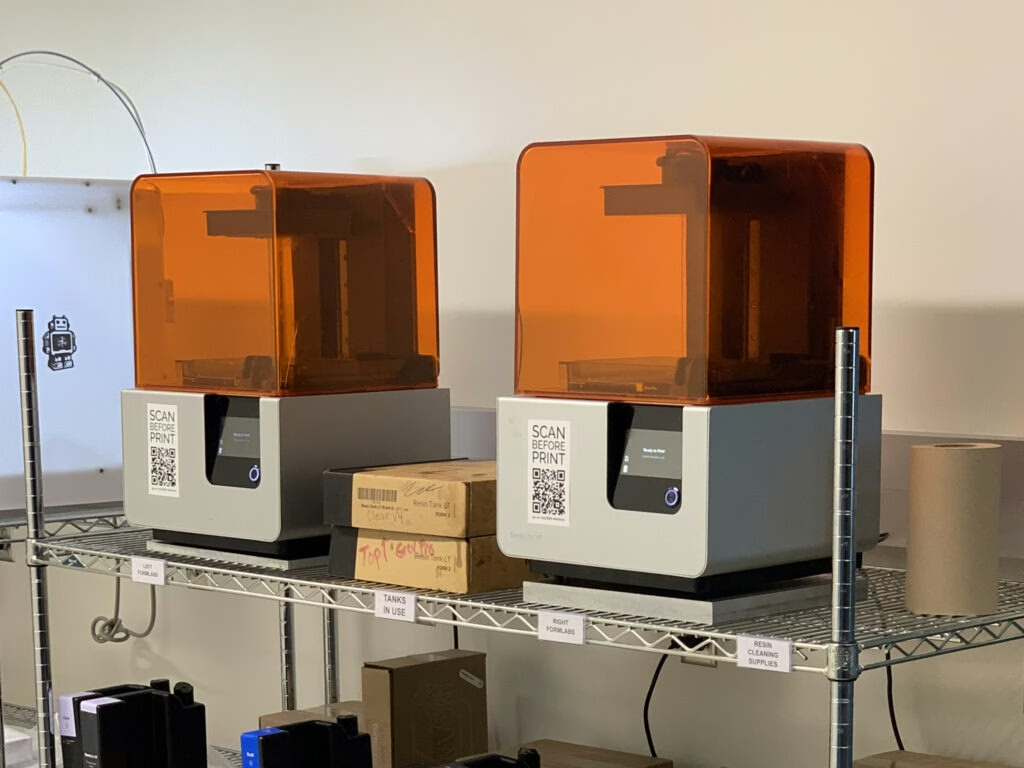
QR Codes were printed that explicitly said “Scan Before Print.”
This alone took the dept from 0% tracking to something like 30% as of Fall 2023.
This is determined by the printers themselves. They are on WiFi and upload stats to the cloud for every print. In theory, every print that occurs, I will receive two notifications; One from the printer manufacturer saying a print was started on x printer, the second is from Google saying someone completed my form.
If this was going to work, I needed students to peer pressure one another into using the form.
This is when the calendar feature was added. Students can see who will be on what, when, and for how long.
In the event of a failure, they can use this calendar to see contact info for the failed print and contact that person asap.
This, like many people, was my first introduction to ChatGPT in late 2023. It me helped to determine a strategy for deployment, execute, and troubleshoot the code.
“Did we just become best friends?”
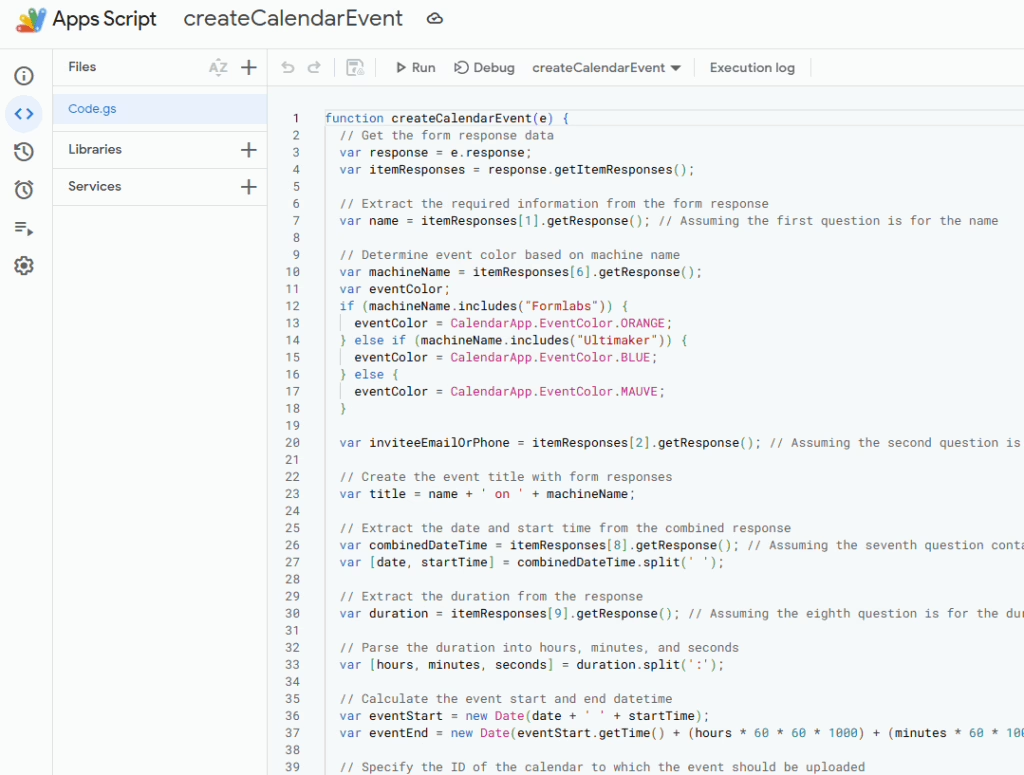
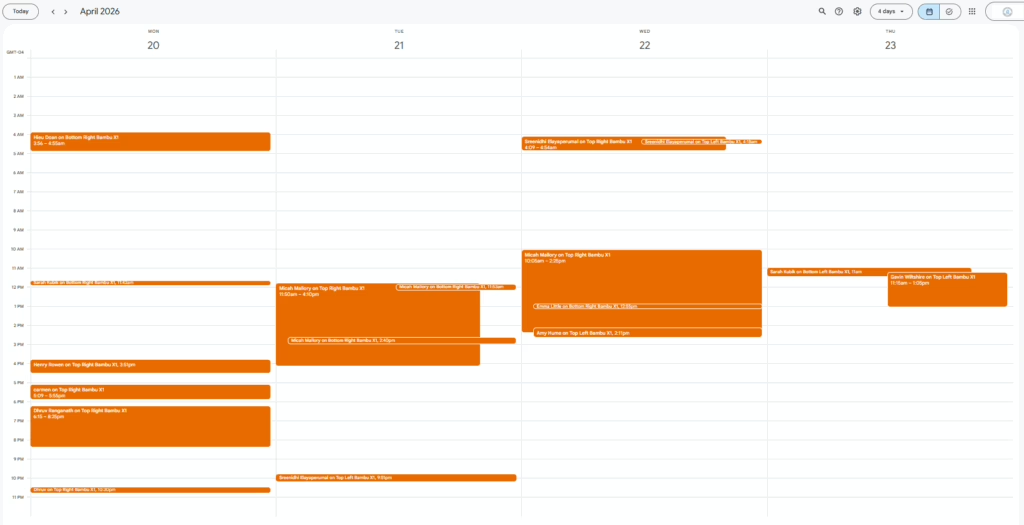
The code take the data from the spreadsheet and makes a calendar event from it, and posts it on a dedicated Google calendar. I added a link to the Calendar in the Google Form, at the very top, and nothing happened to our uptake. Still 40% in Spring of 2024.
Time for drastic measures.
I’m about to make this Calendar obnoxiously large.
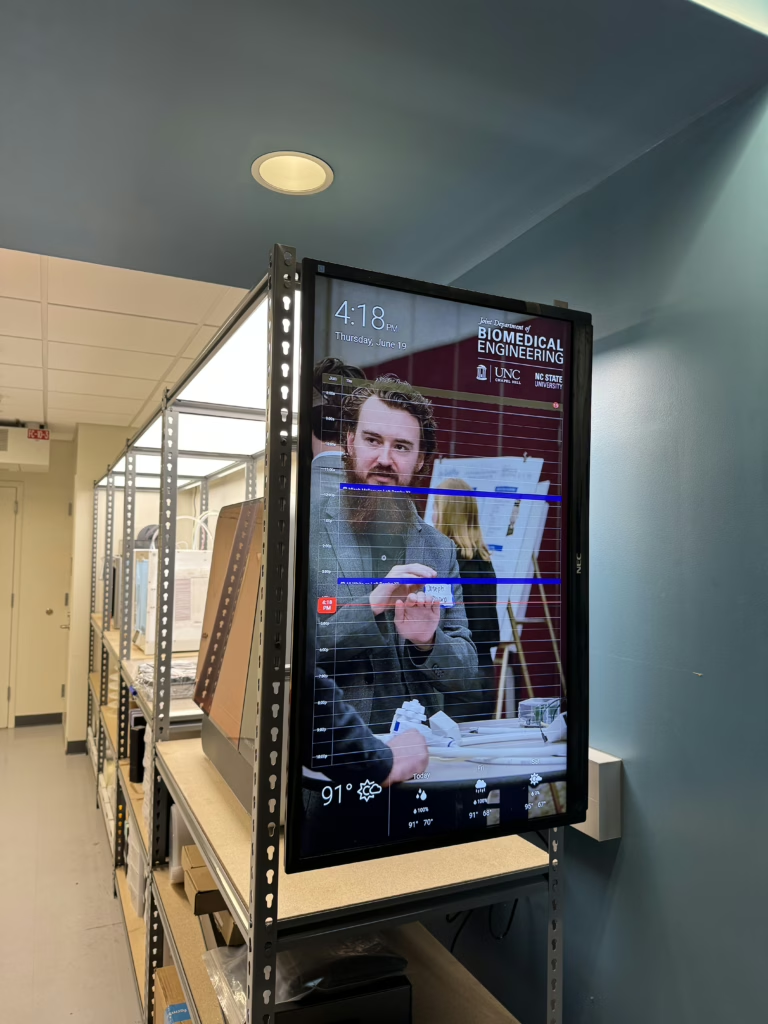
Smart mirrors are a thing. Let’s do that!
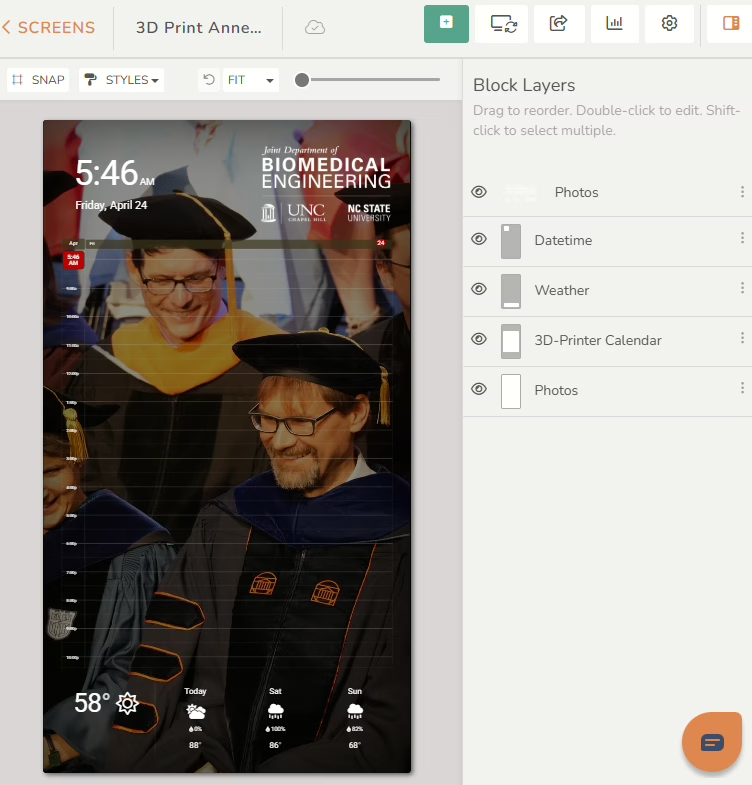
One of the semi-free/open solutions for DIY smart-mirrors is Dakboard. It allows for an insane amount of UX/UI customization. I added the Google Calendar to front. Along with date, time, weather.
For the background, Dakboard allows Flickr integration. Luckily, our department posts all of it’s photos there, so I was able to use those as a live background that updates every 30sec, with a nice fade to black transition.
I opted for the Plus plan ($96/yr) for extra bells and whistles. Shoutout to DakBoard for making an awesome product. https://dakboard.com
By this time, we had upgraded the printing area from NSF racks to U-Line Boltless Shelving. https://www.uline.com/BL_1189/Boltless-Shelving
This provided a space to hang a 42in display. We tried a Vizio Fire TV, but it turned off automatically after 2hrs. I could’ve flashed firmware etc. but it’s a lot of work.
Kenan Science Library was closing so the BeAM Makerspaces provided us with the 42in NEC display. Thanks, Glenn!
Most displays are on a VESA mounting pattern, so I built and H-shaped from from 8020. And lathed out some adapters that would space the monitor appropriately.
And Finally, I followed the instructions to install DakOS onto a Raspberry Pi Zero 2W, that will live on the back of the display.
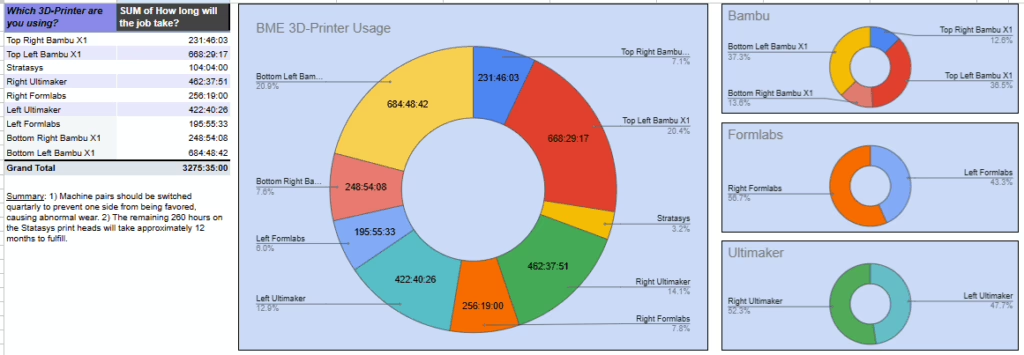
But wait, now print times are being uploaded to a Spreadsheet. 3 years of printer use data.
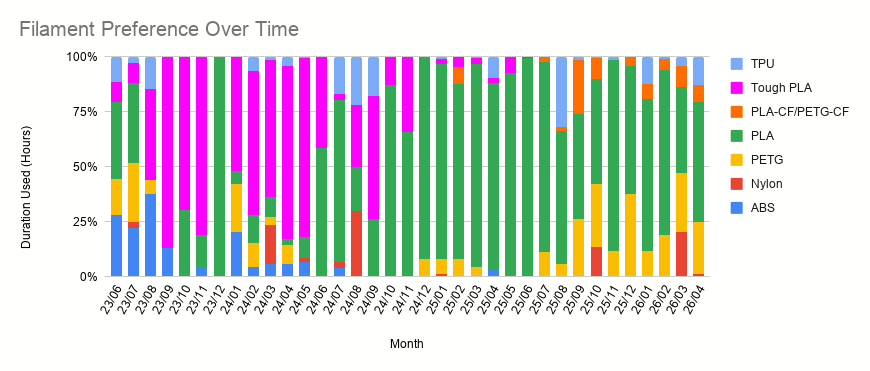
Behold, GRAPHS!